Choosing an Office Chair for Herniated Discs: 5 Essential Features to Check First
The right lumbar support and adjustments can make all the difference for disc health
By the Furniblog Editorial Team·July 10, 2026·6 min read
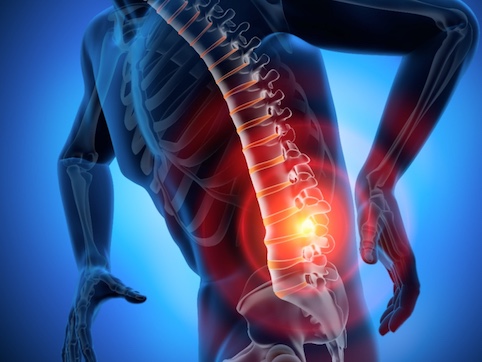
Roughly 80% of adults experience lower back pain at some point in their lives, and a significant portion of those cases involve herniated discs (lumbar disc herniation). Even after treatment, sitting for eight or more hours a day continues to place sustained pressure on the spine. For anyone dealing with disc issues, choosing the right office chair isn't a matter of comfort alone—it's a critical component of spinal health.
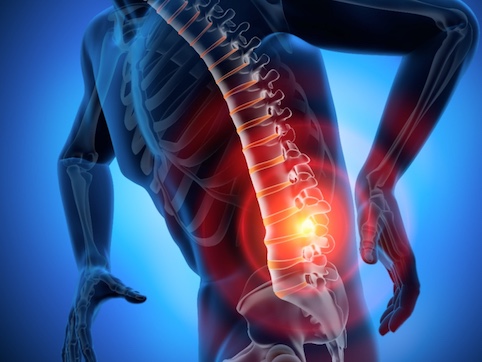
Why Your Chair Matters: The Paradox of Sitting
Many people assume standing puts more stress on the back than sitting. In reality, the seated posture places 1.4 to 1.7 times more pressure on the lumbar discs than standing does. Sit with poor posture, and that multiplier can exceed 2×. For someone with a herniated disc, an office chair functions less as furniture and more as an orthopedic aid that either supports or undermines the spine throughout the workday.
When sitting, your lumbar discs bear significantly more load than when you stand. The angle between your torso and thighs, the depth of your pelvis in the seat, and the support behind your lower back all directly influence disc pressure. Getting these elements right is essential.
5 Must-Have Features for Disc-Friendly Chairs
Before you buy, make sure any chair you're considering offers these five adjustable features:
1. Adjustable Lumbar Support
The lumbar support is the single most important feature for anyone with disc issues. It should maintain the natural S-curve of your spine and be adjustable in both height and depth. The support should contact your lower back around the L3–L4 vertebrae (roughly at or just below the belly button). Fixed or non-adjustable lumbar supports rarely align correctly across different body types and can do more harm than good.
2. Seat Height Adjustment
Your feet should rest flat on the floor with your knees at a 90-degree angle or slightly greater. If your feet dangle, pressure concentrates in the lower back and the underside of your thighs, reducing circulation and increasing disc load. Pneumatic height adjustment is standard on quality ergonomic chairs and should offer a broad enough range to suit your desk and leg length.
3. Backrest Recline and Tilt
Sitting bolt upright at 90 degrees actually increases disc pressure. A slight recline of 100–110 degrees measurably reduces load on the lumbar spine. Look for chairs with adjustable tilt tension and a tilt lock, so you can find and hold the angle that feels best. Some advanced chairs offer synchro-tilt, where the seat and backrest move in a coordinated ratio—this can further reduce pressure when you lean back.
4. Seat Depth Adjustment
There should be about two to three fingers' width of space between the front edge of the seat and the back of your knees. If the seat is too deep, your pelvis tilts backward and your lumbar curve flattens, stressing the discs. If it's too shallow, you lose thigh support. Seat depth (also called seat pan or seat slider) adjustment is often overlooked but critical for proper pelvic alignment.
5. Adjustable Armrests
Armrests should allow your elbows to rest at roughly 90 degrees with your shoulders relaxed. If the armrests are too low or absent, your shoulders sag and your torso can twist or lean to one side, creating asymmetric load on the spine. Look for armrests adjustable in height at minimum; width and angle adjustments are even better for preventing postural compensation.
Pro Tip: Always sit in a chair for at least 10 minutes before deciding. The first minute or two, almost any chair feels comfortable. Pay attention to whether the lumbar support stays in the right place, whether your pelvis stays anchored, and whether you feel the urge to slouch or shift after several minutes.
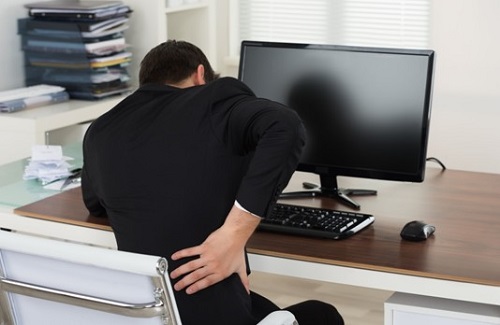
Chair Features to Avoid
Knowing what not to choose is just as important as knowing what to look for. Steer clear of chairs with these characteristics:
Overly soft, sinking cushions: Excess softness allows your pelvis to shift and rotate unpredictably, destabilizing lumbar alignment. Cushions should have enough firmness and rebound to hold your pelvis steady.
No lumbar support or fixed lumbar pads: A fixed pad might work for one body type but press in the wrong spot for another, potentially worsening discomfort.
Extreme recline (beyond 135°): While a slight recline helps, going too far back disengages your core muscles, which are essential for supporting the spine during sitting.
Asymmetric designs or non-adjustable armrests: These can encourage twisting or leaning, compounding any existing spinal imbalance.
Saddle or kneeling chairs used exclusively: These can be useful as part of a varied sitting strategy, but if your core isn't strong, using them all day can overload the lower back. They're best rotated with a conventional ergonomic chair.
How to Sit Correctly (Even in the Best Chair)
Even the most advanced ergonomic chair can't compensate for poor posture. Use this checklist every time you sit down:
Slide your hips all the way back against the backrest.
Adjust seat height so your feet are flat on the floor.
Check that your knees are at 90° or slightly more open.
Position the lumbar support so it contacts your lower back, roughly in line with your belt line or just below.
Recline the backrest slightly, to around 100–110°.
Set your monitor so the top of the screen is at or just below eye level.
Stand and stretch for 1–2 minutes every 30 minutes.
If you have a diagnosed herniated disc, consult with your orthopedic specialist or physical therapist about your specific case. Depending on the direction and severity of the herniation, certain postures or movements may need to be avoided.
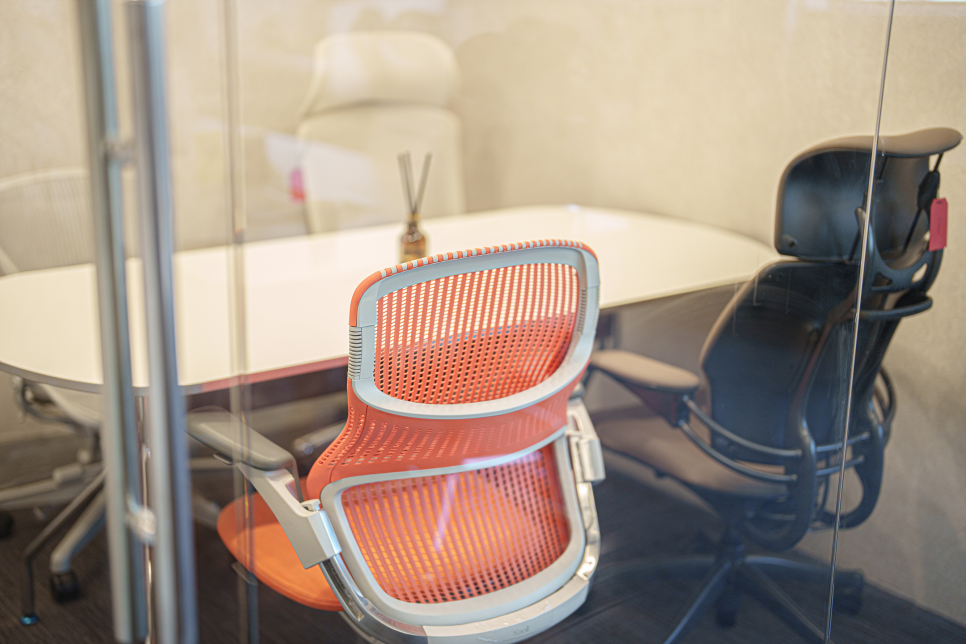
What to Prioritize When Shopping
When evaluating chairs for lumbar disc health, focus on three core adjustments above all else:
Lumbar support range (both height and depth)
Seat depth adjustment
Tilt tension and lock
Brand names and price tags matter far less than whether the chair fits your body and usage pattern. Chairs like the Steelcase Gesture, Herman Miller Embody, Steelcase Leap V2, and Haworth Fern are frequently recommended for people with back issues because they excel in adjustability and lumbar support. However, the "best" chair is always the one that fits you—which is why trying before buying is essential.
If you're shopping online and can't test in person, look for retailers with generous return policies and take full advantage of the trial period. Spend several full workdays in the chair and pay close attention to how your back feels at the end of the day and the next morning.
Final Thoughts
A herniated disc doesn't mean you're sentenced to a life of discomfort at your desk. With the right chair—one that offers true lumbar adjustability, proper seat depth, and a recline that reduces disc pressure—you can work comfortably and protect your spine for the long term. Combine a well-chosen chair with correct posture, regular movement breaks, and guidance from your healthcare provider, and you'll be taking meaningful steps toward better back health every day.

Furniblog may earn a commission from links in this post, at no extra cost to you. See our affiliate disclosure.