Herman Miller Aeron Size Guide: How to Choose Between A, B, and C
Why size matters and how to pick the right Aeron fit for your body
By the Furniblog Editorial Team·July 10, 2026·5 min read
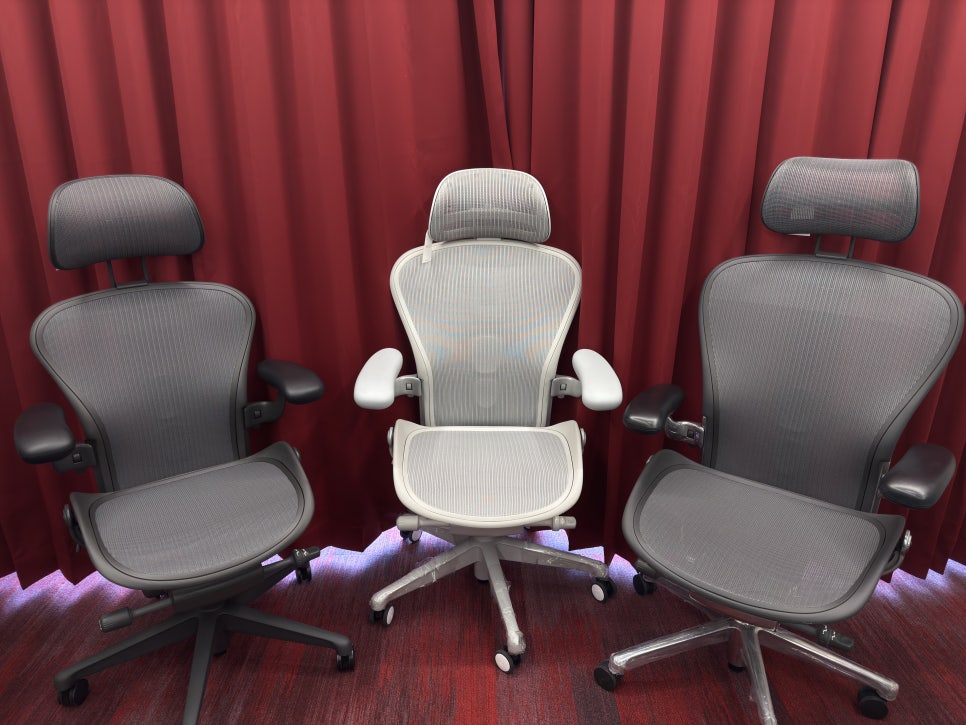
The Herman Miller Aeron is one of the most celebrated ergonomic chairs in the world—but it comes with a sizing decision that trips up many buyers. Should you go with size A, B, or C?
Unlike traditional office chairs that come in a one-size-fits-all design, the Aeron is available in three distinct sizes to accommodate different body types. Choosing the wrong size can mean the difference between exceptional comfort and a chair that never quite feels right, no matter how many adjustments you make.
This guide will walk you through everything you need to know to make the right choice.
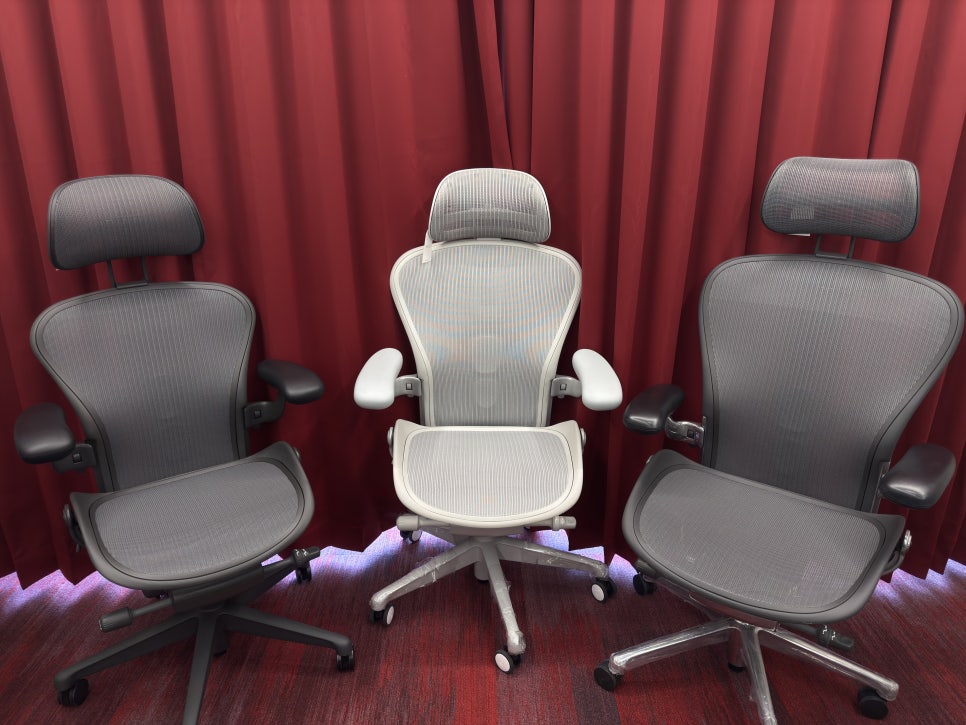
Why Aeron Sizing Matters More Than You Think
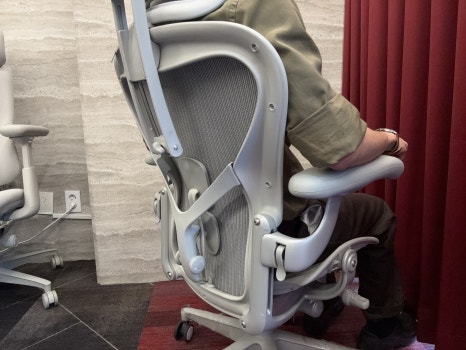
The Aeron features a unified seat pan and backrest design. This seamless construction is part of what makes it so supportive—but it also means that if the size is off, several problems can arise:
The lumbar support may sit in the wrong place, missing your lower back entirely and offering no real benefit
The front edge of the seat can press into the back of your knees, restricting circulation and causing discomfort during long sitting sessions
The armrest spacing may be too narrow or too wide, leading to shoulder tension or poor posture
In other words, this isn't just about comfort—it's about whether the chair's ergonomic features actually work for your body.
Aeron Size Specifications: A Quick Overview
Feature | Size A | Size B | Size C |
|---|---|---|---|
Recommended Height | Up to 5'5" (165 cm) | 5'5" – 6'1" (165–185 cm) | 6'1" and above (185 cm+) |
Recommended Weight | Up to 130 lbs (60 kg) | 130–200 lbs (60–90 kg) | 200 lbs and above (90 kg+) |
Seat Width | Narrow | Medium | Wide |
Backrest Height | Low | Medium | High |
Note: These are general guidelines. Individual body proportions—like torso length, shoulder width, and leg length—can make a big difference in what feels right.
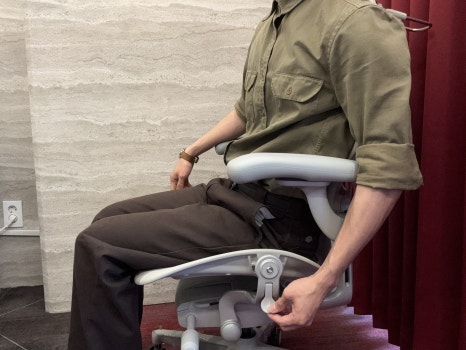
How to Choose the Right Aeron Size for Your Body
Here's a step-by-step method to determine which size will work best for you. Ideally, you'll want to try these checks in person, but you can approximate some of them at home if you already own an office chair.
Step 1: Adjust Seat Height Correctly
Sit in the chair with your feet flat on the floor. Your knees should form a 90-degree angle. If the seat is too high, pressure concentrates on your thighs; too low, and your hips and feet bear too much load. Getting this baseline right is essential before checking the other fit factors.
Step 2: Check Seat Depth (The Most Important Test)
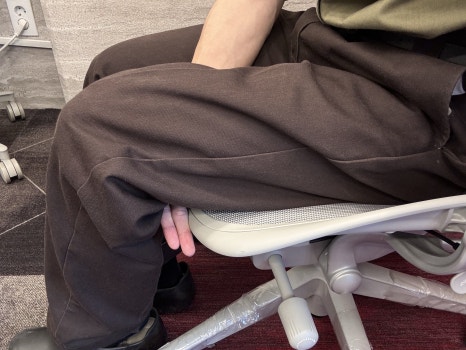
Sit all the way back so your spine is fully supported by the backrest. Now check the gap between the front edge of the seat and the back of your knees (the popliteal area). You should be able to fit about two to three fingers in this space.
If there's no gap or the seat presses into your knees: the chair is too large—consider going down a size
If the gap is too wide and your back doesn't reach the backrest comfortably: the chair is too small—consider going up a size
This is the single best indicator of proper Aeron sizing.
Step 3: Evaluate Lumbar Support Placement
Adjust the lumbar support using the lever on the back of the chair. The support pad should press gently into your lower back, right around the curve of your lumbar spine—not your mid-back or your tailbone.
If the lumbar support sits too high or too low, even at full adjustment range, the size is likely wrong for your torso length.
Step 4: Assess Seat Width
The Pellicle mesh seat should cradle your hips without the frame pressing into your thighs. If you feel the hard edges of the seat pan against your legs, the chair is too narrow. On the other hand, if there's excessive space on either side, you may not get the full benefit of the seat's contouring.
What If You're Between Sizes?
Herman Miller's official guidelines are useful, but body proportions vary widely. Here are a few common scenarios:
You're 5'7" (170 cm) but have a long torso and shorter legs: Size A might be more comfortable, even though the chart suggests B
You're 5'5" (165 cm) but have broad shoulders or weigh more than average: Size B will likely feel better than A
You meet the weight range for B but find the seat feels narrow: Don't hesitate to try size C
When in doubt, prioritize seat depth over the height and weight ranges. Your body will tell you what works.
Common Questions About Aeron Sizing
I'm right on the edge of the weight range. Which size should I choose?
Focus on seat depth first, then lumbar placement. Weight is a helpful guideline, but it doesn't account for frame size, muscle mass, or how weight is distributed across your body.
Size B is the most popular—should I just get that?
Size B fits the largest portion of the population, so it's a safe bet for many people. But "most popular" doesn't mean it's right for you. Go through the checklist above to be sure.
Can I choose based on measurements alone if I'm buying online?
It's possible, especially if you can measure the seat depth of a chair you already own and compare it to Aeron specs. But if you've never sat in an Aeron before, we strongly recommend visiting a showroom or retailer where you can try all three sizes in person.

Final Thoughts
The Herman Miller Aeron is an investment in your long-term comfort and health—but only if you get the size right. Take the time to sit in each option, run through the fit checks, and trust what your body tells you.
If you choose well, the Aeron will support you through years of focused, pain-free work. Choose poorly, and even the world's best ergonomic design won't live up to its reputation.
When in doubt, seek out a knowledgeable retailer who can guide you through the sizing process in person. Your back will thank you.

Furniblog may earn a commission from links in this post, at no extra cost to you. See our affiliate disclosure.