How to Verify an Authentic Herman Miller Aeron Chair – Why QR Codes Don't Work
The label QR code isn't for consumers. Here's how to actually verify your Aeron.
By the Furniblog Editorial Team·July 31, 2026·5 min read
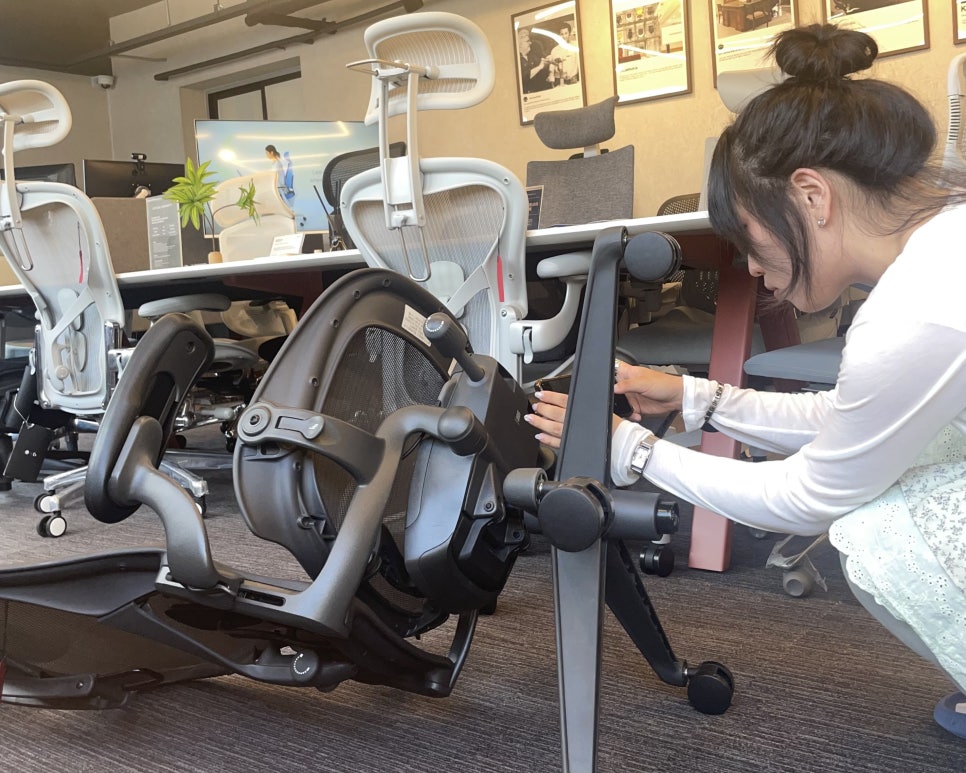
Why Scanning the QR Code Won't Authenticate Your Aeron
"Can't I just scan the QR code to check if it's genuine?" This is one of the most common questions about verifying a Herman Miller Aeron chair.
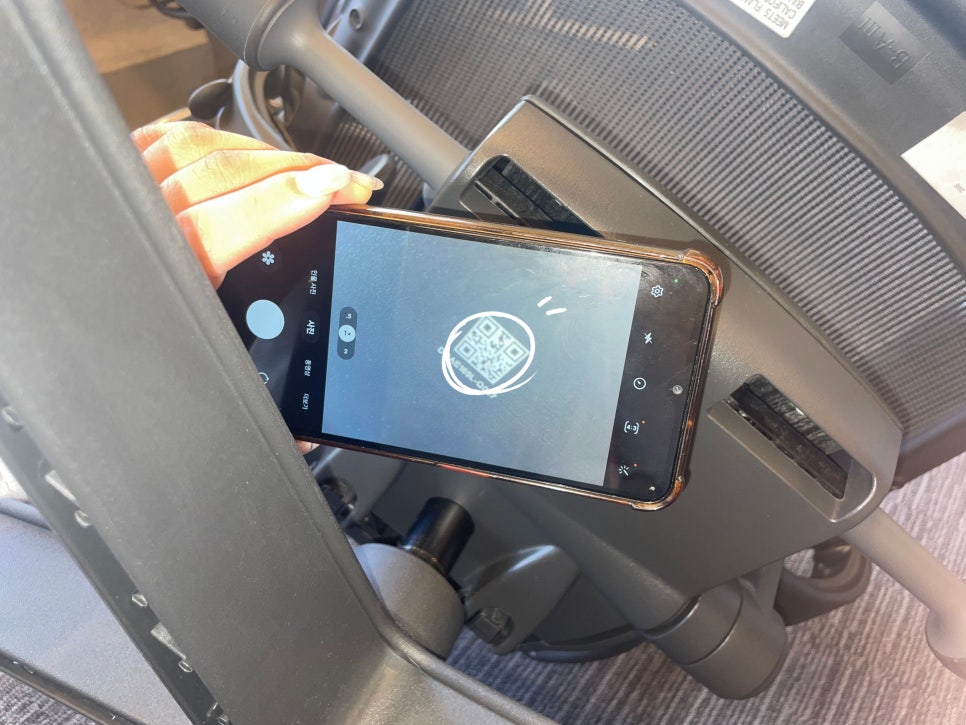
The short answer: no, that QR code is not a consumer authentication tool. It's an internal logistics and service code used by Herman Miller's production and repair network. Scanning it won't produce a certificate of authenticity or confirmation screen.
If you want to verify your Aeron is genuine, there are specific details you need to check manually—and if you prefer, you can look up your chair yourself on Herman Miller's official website. Here's how to do it right.
What That QR Code Really Does
Under the seat pan of every Aeron, near the tilt mechanism, you'll find a label with a QR code alongside the FO number (product number), serial number, manufacture date, size, and model code.
This QR code is used by Herman Miller internally to track individual units through manufacturing, shipping, and service. It's not designed to display "This is authentic" when scanned by a consumer.
In fact, when you contact Herman Miller's official service department, they ask you to photograph and send the FO number and manufacture date printed on the label—not to scan the QR code. The system is built around reading and manually entering that information, not scanning.
The Right Way to Self-Verify
To check authenticity yourself:
Read the label: Note the FO number, manufacture date, and model code printed on the sticker.
Record the details: Write them down or take a clear photo.
Use official channels: Visit Herman Miller's Warranty & Service page or contact their customer service with this information.
This manual process is far more reliable than trying to scan a code that wasn't designed for consumer authentication.
How to Read the Label – What to Look For and Where
The authentication label is located underneath the seat pan, near the tilt mechanism. Here's what should be on it:
1. FO Number and Manufacture Date
Both of these should be clearly printed. If either is missing, illegible, or looks crudely printed, that's a red flag.
2. Model Code and Size Designation
The model code includes a letter (A, B, or C) indicating the chair's size. Confirm this matches the actual chair you're inspecting.
What a Genuine Label Looks Like
A typical authentic label will show:
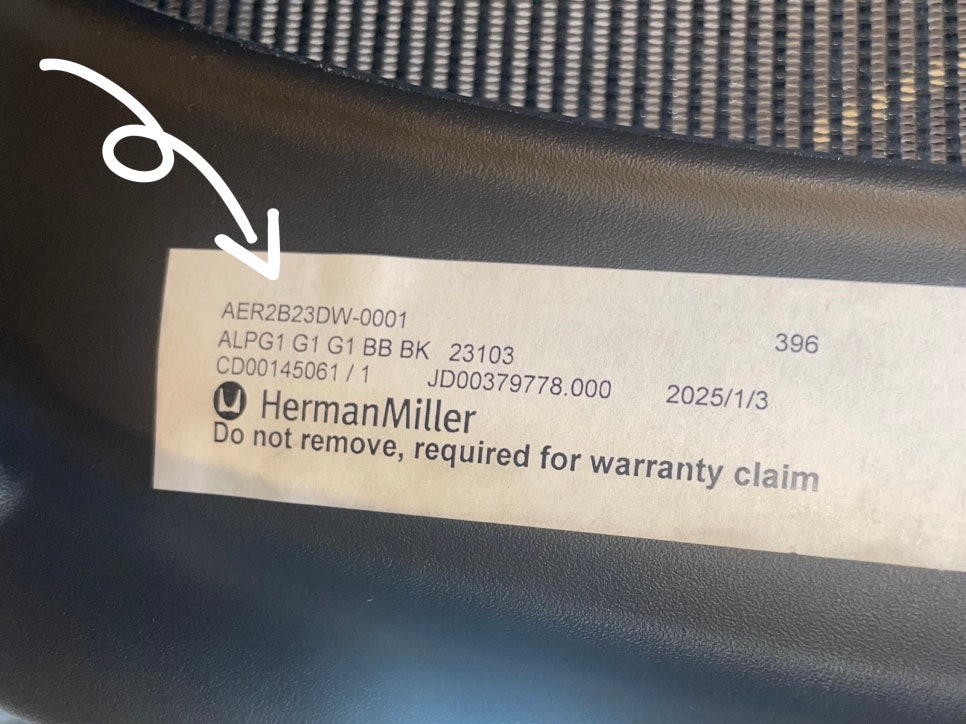
Product code: e.g., AER2B23DW-0001 (AER indicates the Aeron line; the rest encodes size and options)
Configuration codes: e.g., ALPG1 G1 G1 BB BK 23103 (frame, base, armrest colors and specs)
Order/unit identifiers: e.g., CD00145061 / 1, JD00379778.000
Manufacture date: e.g., 2025/1/3
Warranty notice: "Herman Miller. Do not remove, required for warranty claim." This reminds you the label is essential for warranty and service claims—you'll need to photograph it when requesting support.
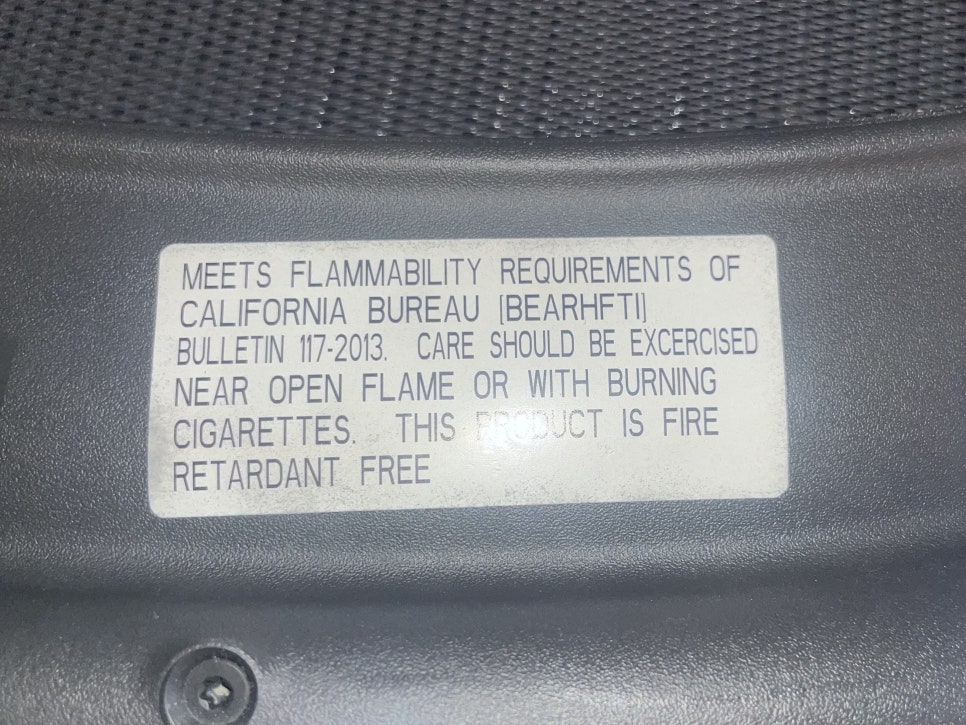
You may also see a separate California furniture flammability compliance label. This is unrelated to authentication; it simply indicates the chair meets U.S. state regulations and was likely produced for the American market.
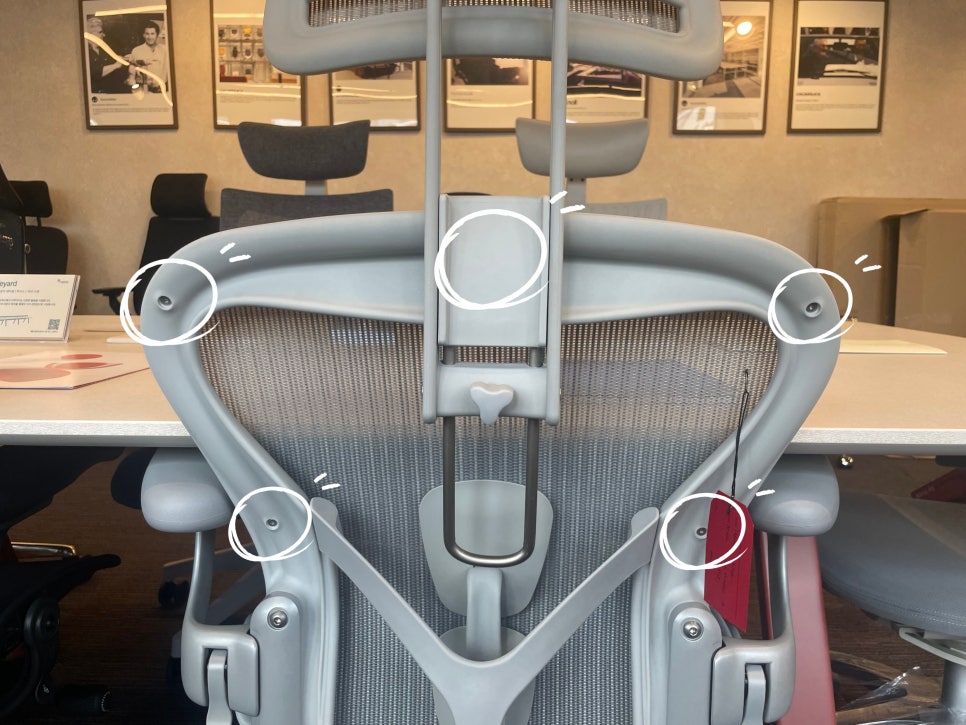
3. Backrest Screw Count
Here's a simple physical check: look at the screws along the top edge of the Aeron's mesh backrest frame.
Size A: 5 screws
Size B: 7 screws
Size C: 8 screws
If the screw count doesn't match the size code on the label, that suggests mismatched or swapped parts—a sign of possible counterfeiting or frankensteining.
Spotting Fakes: Hardware and Build Quality Clues
If the label is missing, damaged, or you're evaluating a used chair, you can still look for telltale signs in the hardware and construction.
Genuine Aeron Characteristics
Dual-frame Pellicle: The mesh is tensioned on a separate inner ring, which is then mounted into the outer frame—a two-piece construction.
Molded logo: The Herman Miller logo on the backrest frame is molded into the plastic, not a sticker.
Proprietary hardware: Fasteners are uniform, purpose-made components (hex-head button caps, specific bolts), not generic hardware-store parts.
Red Flags for Counterfeits
Single-piece mesh frame: Mesh attached directly to the outer frame without an inner ring.
Sticker logo: Printed or stuck-on branding, or a logo that's slightly misaligned.
Mixed or rough hardware: Generic bolts and nuts, inconsistent finishes, or visibly lower-quality metal parts.
Proportions feel off: Counterfeits are often bulkier or less refined in their overall dimensions and balance.
The Most Reliable Method: Know Your Source
Even with careful inspection, some high-quality fakes can be difficult to spot. Herman Miller does not offer individual authentication services for secondhand or private-sale chairs.
The safest approach is to buy from an authorized Herman Miller dealer from the start. Authorized dealers sell only genuine product, provide proper documentation, and ensure your chair is covered by Herman Miller's 12-year warranty.
If you already own a chair and have doubts, your best bet is to send clear photos of the label and hardware details to an authorized dealer or Herman Miller customer service for guidance.
Disclaimer: This guide summarizes common visual and label-based verification methods. It does not replace professional authentication. When in doubt, consult an authorized dealer or the manufacturer directly.
Try Before You Buy
Authenticity aside, the Aeron—like any ergonomic chair—should be tested in person whenever possible. A chair's reputation means little if it doesn't fit your body. Visit a showroom, sit in multiple sizes, and adjust the controls to find the right match.
Whether you're considering an Aeron, a Steelcase Leap V2, or a Haworth Fern, the best chair is the one that supports you—not just the one with the biggest following.

Furniblog may earn a commission from links in this post, at no extra cost to you. See our affiliate disclosure.