Why High-End Chairs Only Feel Comfortable When Properly Adjusted
Unlocking the hidden features that justify the price tag
By the Furniblog Editorial Team·July 13, 2026·8 min read
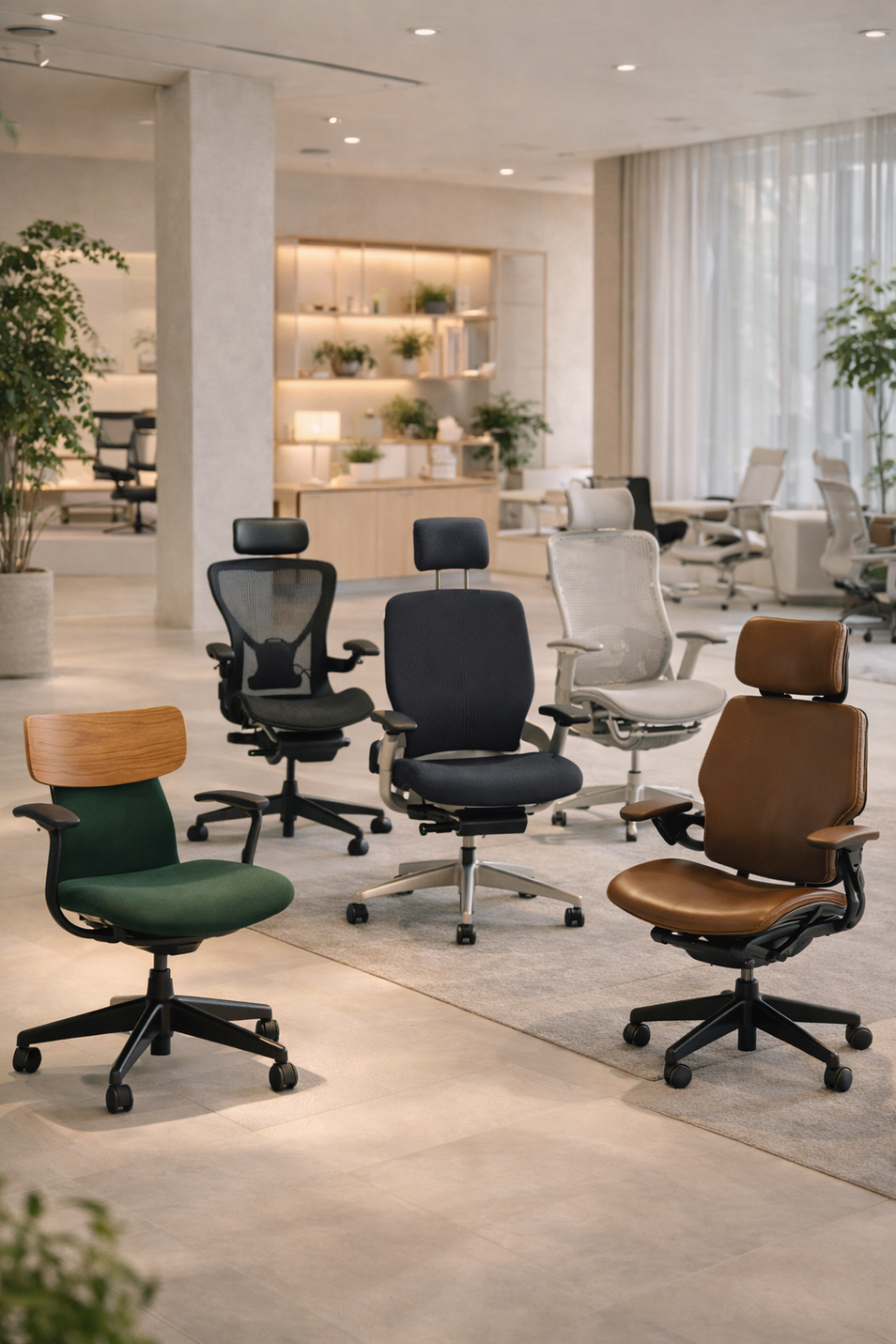
The Disappointment of an Expensive Chair
You've invested in a premium ergonomic chair, but somehow it feels… ordinary. Maybe even a little disappointing. If this sounds familiar, you're not alone—and the chair probably isn't the problem.
The issue is simpler than you might think: most people adjust seat height and stop there. Meanwhile, the features that actually create a transformative sitting experience—seat depth, armrest positioning, lumbar dynamics, tilt mechanisms, and headrest articulation—remain untouched and misunderstood.
High-end chairs don't justify their cost through brand prestige or premium upholstery alone. The real value lies in how precisely these chairs can be tuned to your body and work habits. Two people sitting in the same model can have completely different experiences depending on whether they've dialed in those critical adjustments.
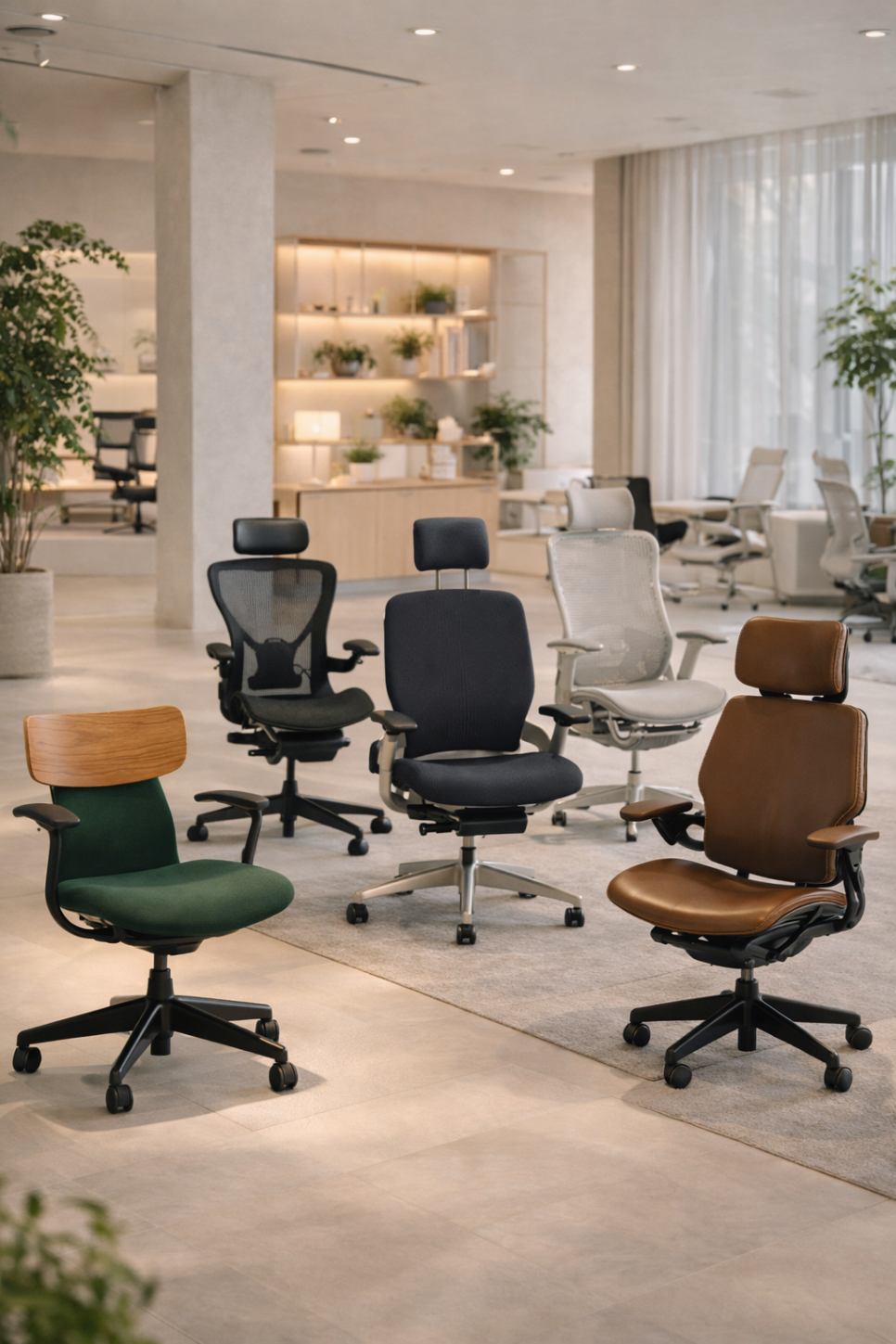
The Hidden Features That Actually Matter
Kokuyo Ing: The Chair That Moves With You
At first glance, the Kokuyo Ing looks like a stylish chair with attractive wood accents. But its defining feature isn't aesthetic—it's the 360-degree gliding mechanism built into the seat.
This continuous micro-movement system allows the seat to respond to subtle shifts in your body position. Rather than locking you into one "correct" posture, the Ing encourages gentle, ongoing movement that reduces muscle tension during extended sitting sessions.
The key insight: this isn't a chair that pushes your lumbar forward aggressively. Instead, it prevents your body from becoming static and stiff. To appreciate what the Ing offers, don't just sit still—lean forward, shift your weight side to side, and notice how the seat follows you. That's where the design philosophy reveals itself.
Herman Miller Embody: Beyond the Striking Backrest
The Herman Miller Embody often gets attention for its unusual pixelated backrest. But the visual drama is secondary to two core technologies: Backfit adjustment and Pixelated Support.
Backfit allows you to adjust the curvature of the backrest to match your spinal profile. The pixelated structure then distributes pressure across dozens of independent support zones, preventing load concentration in any single area during long work sessions.
The common mistake: treating the Embody as a "sit down and it just works" chair. In reality, the experience changes substantially once you've properly adjusted the Backfit mechanism to align with your spine. Take the time to fine-tune this setting, then sit for an extended period—that's when the chair's engineering becomes apparent.
Knoll Generation: Designed for How You Actually Sit
The Generation by Knoll takes a different philosophical approach. Rather than enforcing a single "correct" posture, it accommodates the varied positions people naturally adopt while working.
Through its Flex Back, Flex Seat, and Continuous Lumbar technologies, the Generation supports not just traditional upright sitting, but also perched sitting, side sitting, and other natural variations. The seat edge flexes across 270 degrees, and the upper backrest articulates to support your body even when you're turned at an angle or leaning sideways.
This is a chair that doesn't demand perfect posture—it accepts how humans actually move throughout the workday. If you only test it sitting straight and centered, you're experiencing perhaps half of what it offers. Try leaning to one side, rotating slightly in the seat, or perching forward on the edge to understand its full range.
Itoki Act2: The Details That Support Your Work
The Itoki Act2 presents as a clean, understated mesh chair. But its real differentiation emerges in the precision of its adjustments, particularly seat depth adjustment and what Itoki calls its 4D Link Arm system.
The hidden insight here: your backrest isn't everything. If your desk depth doesn't match your seat depth, or if your armrests can't position themselves correctly relative to your keyboard and mouse, you'll end up with neck and shoulder strain no matter how good your lumbar support is.
The Act2 excels at this fit-to-task adjustment. The slide mechanism lets you match seat depth to your leg length, while the coordinated armrest system positions support exactly where your forearms naturally rest during work. It's this work posture alignment, more than any single standout feature, that defines the Act2's value.
Herman Miller Aeron: More Than Mesh and Ventilation
Everyone knows the Herman Miller Aeron for its 8Z Pellicle suspension and exceptional breathability. But Herman Miller's own emphasis is on PostureFit SL sacral and lumbar support, the Harmonic 2 Tilt mechanism, and (on certain configurations) forward tilt capability.
PostureFit SL stabilizes both your sacrum and lumbar spine, preventing the pelvis from rolling backward into a slouch. Harmonic 2 Tilt creates a smooth, balanced recline that keeps you stable through the full range of motion. Forward tilt—often overlooked—is transformative for users who frequently lean toward their monitors or documents.
The real point: the Aeron isn't just a cool, breathable chair. Its core value lies in how it manages postural transitions. How smoothly does it support you when leaning forward to focus? When reclining back to think? When returning to neutral? These transitions, more than static comfort, define the Aeron experience.
Steelcase Gesture: Understanding the Armrest Revelation
The Steelcase Gesture is a chair you truly understand only after properly adjusting the armrests. Its 360-degree armrests and 3D LiveBack system were explicitly designed for users who shift between smartphones, tablets, laptops, and traditional desktop work—each requiring different arm positions.
The LiveBack responds to spinal movement, but it's the armrest system (adjusting in height, width, depth, and angle) that addresses a major source of fatigue: unsupported arms leading to neck and shoulder tension.
Many people evaluate chairs primarily on backrest and cushioning, but if you struggle with upper body discomfort, armrest adjustability often matters more. The Gesture targets this precisely. The headrest variant adds height, tilt, and 90-degree pivot adjustment, providing meaningful support in reclined positions rather than merely being present.
Okamura Contessa II: Adjustment Without Interruption
The Okamura Contessa II is often appreciated for its refined appearance. But its functional advantage is what Okamura calls Smart Operation: the ability to adjust recline and height via controls integrated into the armrest tips, without leaving your seated position or interrupting your workflow.
Additionally, when you recline, the seat slides forward to prevent thigh compression—a detail that significantly impacts comfort during extended reclined sessions. The multi-density cushioning is engineered for both pressure distribution and long-term durability.
Why this matters: chairs with powerful features often go underutilized because adjusting them requires awkward reaching or getting up. When adjustment becomes effortless and intuitive, you actually use the features. The Contessa II removes friction from the adjustment process, which paradoxically makes it more functional than chairs with more features but clunkier controls.
Humanscale Freedom: The Headrest That Actually Follows
The Humanscale Freedom headrest model isn't notable simply for having a headrest—it's distinguished by how that headrest moves. Humanscale emphasizes its weight-responsive recline (no manual tension adjustment needed), Synchronous Arms that move with the backrest, and a Dynamic Headrest that adjusts its position and angle as you recline.
This is a system designed around the idea that the chair should adapt to you automatically, rather than requiring constant manual recalibration as you shift positions.
The subtle but crucial detail: this headrest doesn't push your head forward, which is a common complaint with fixed or poorly designed head support. Instead, it tracks with your recline angle, providing support exactly when and where you need it. If you've been frustrated by headrests that feel more intrusive than helpful, the Freedom's dynamic approach offers a notably different experience in reclined positions.
The Real Cost of Surface-Level Setup
A high-end chair justifies its price only when adjusted to your body. If you've left seat depth at default, never moved the armrests, and haven't explored the tilt mechanism, you're using perhaps half the chair you paid for.
This is why evaluating chairs from photos and specifications has limited value. Some models deliver their value through seat mechanics more than backrest design. Others make mesh secondary to forward tilt capability. Still others prioritize armrest articulation over headrest presence.
Choosing the right chair is less about brand hierarchy and more about understanding how you actually work: Do you lean forward frequently? Recline often? Shift positions throughout the day? Use multiple devices? The answers to these questions should drive your chair selection and setup more than general reputation.
Experience Before You Commit
Premium ergonomic chairs reveal their value only through direct, extended trial with proper adjustment. What looks identical in product photos can feel completely different once you've aligned seat depth to your legs, positioned armrests to your desk height, and calibrated recline tension to your weight and preferences.
If you're investing in a high-end task chair, prioritize hands-on testing over specifications. Sit in multiple positions. Adjust every control. Spend time in the chair doing actual work, not just sitting still. The difference between a chair that costs $400 and one that costs $1,400 often isn't apparent in the first sixty seconds—it emerges over the first sixty minutes, and the first sixty days.
The chair that supports your health and productivity is the one that fits your body and your work style, properly adjusted and fully utilized. Everything else is just furniture.
Furniblog may earn a commission from links in this post, at no extra cost to you. See our affiliate disclosure.