Why Your Legs Go Numb at Your Desk—And How Seat Depth Can Fix It
It's not poor circulation: the real cause is often an ill-fitting chair seat
By the Furniblog Editorial Team·July 10, 2026·5 min read
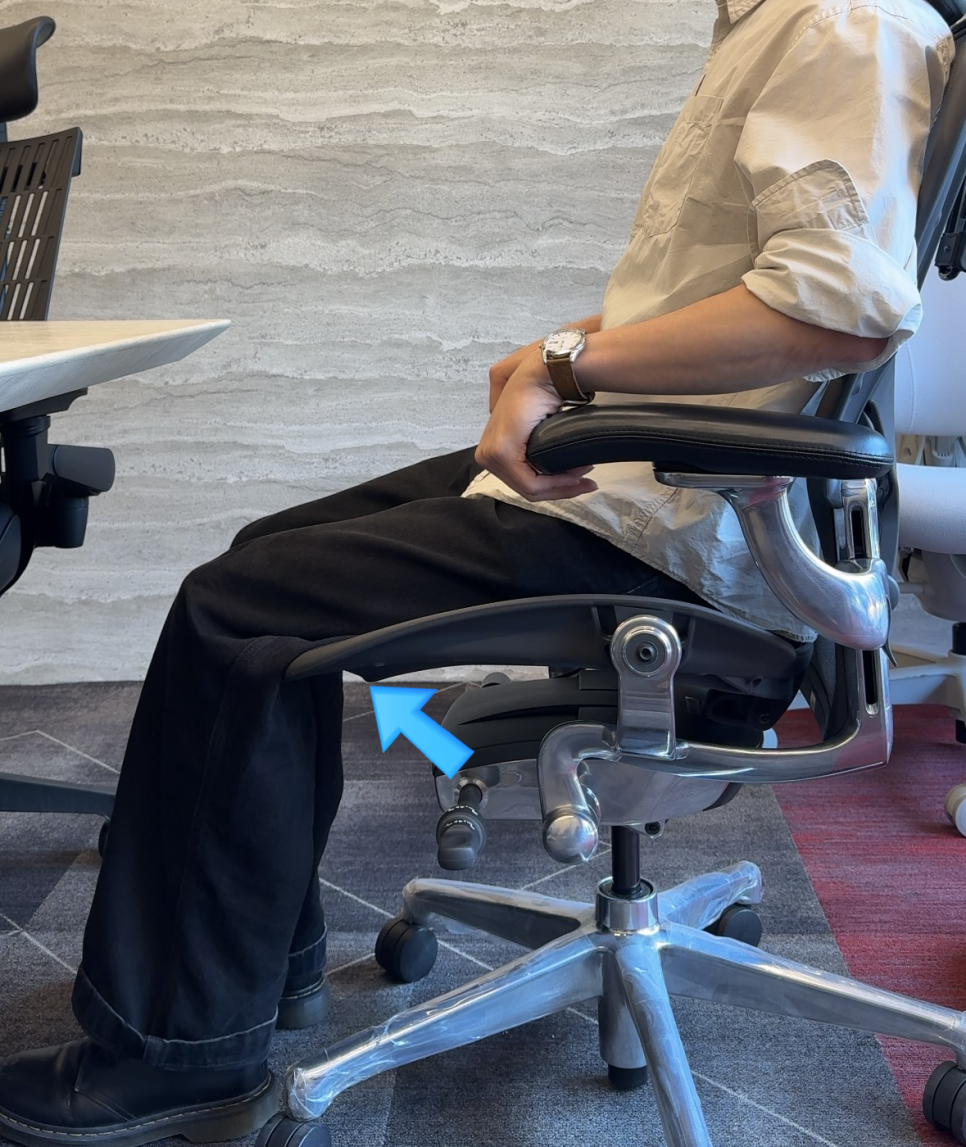
The Mystery of Desk-Induced Leg Numbness
After eight hours at your desk, do you feel a tingling pressure behind your knees, or notice your calves swelling and your legs falling asleep? If you find yourself constantly shifting position to relieve the discomfort, you're not alone—and you've probably assumed it's a circulation problem.
But if the numbness only happens when you're sitting for extended periods, the real culprit is likely not your body at all. It's your chair—specifically, its seat depth.
In this guide, we'll explain why the back of your knees goes numb, show you a 30-second test to check if your chair fits properly, and recommend chairs that can actually solve the problem.
What's Really Causing the Tingling: Popliteal Compression
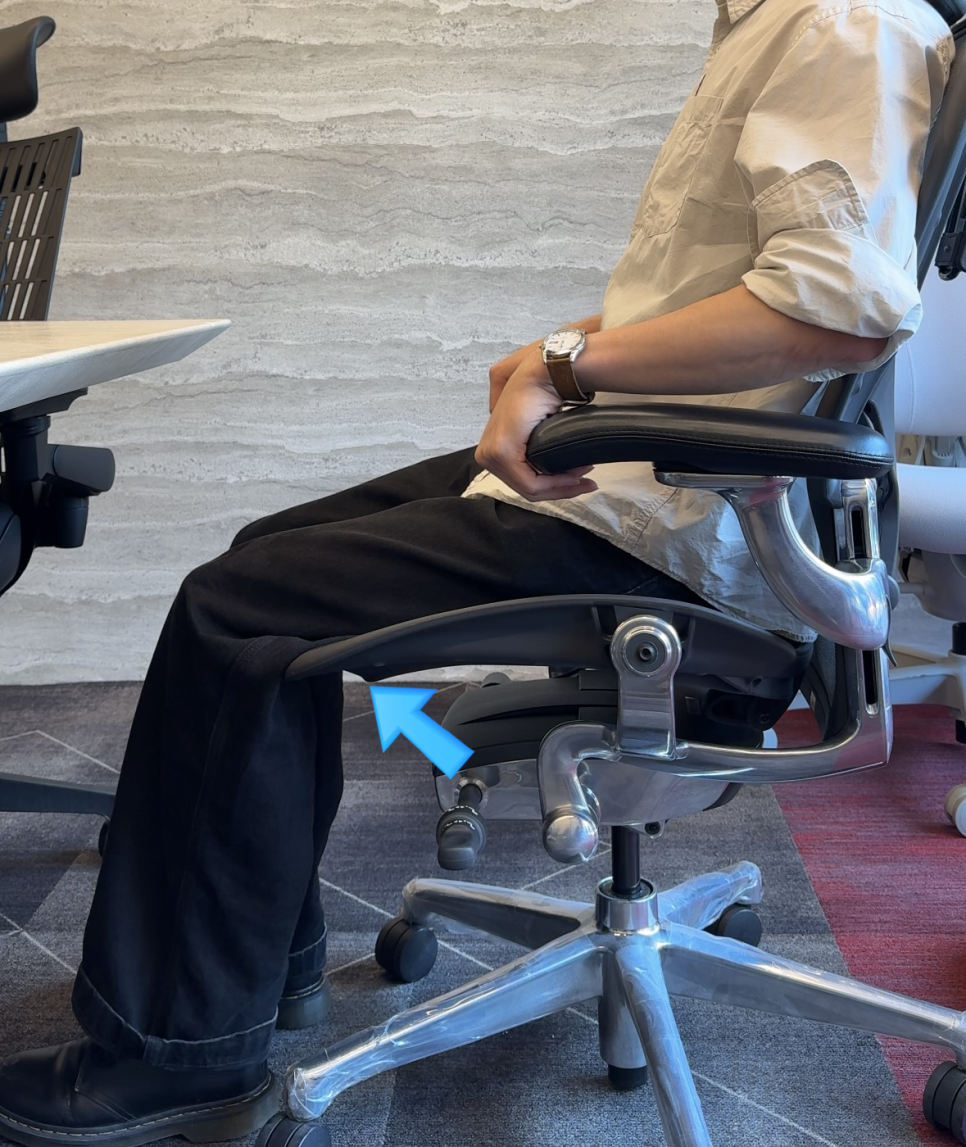
The area behind your knee is called the popliteal fossa—commonly known as the "knee pit." This shallow depression is home to major arteries and nerves that run close to the skin's surface as they travel down your leg.
When the front edge of your chair seat presses continuously against this area, it restricts blood flow and compresses the nerves, leading to tingling, swelling, and that "falling asleep" sensation in your lower legs.
What starts as mere discomfort can, over time, contribute to edema and reduced circulation in the lower body.
Ergonomic standards such as ISO 9241-5 specifically address this issue: when your back is fully against the backrest, there should be clearance between the front edge of the seat and the back of your knees. The moment the seat touches your knee pit, the seat is too deep for your body.
The Two Bad Choices When Your Seat Is Too Deep
When your chair's seat depth exceeds your thigh length, you're forced into one of two poor postures—and both come with consequences:
Option 1: Sit All the Way Back
You press your back fully against the backrest to engage lumbar support. But now the front edge of the seat digs into the back of your knees, compressing nerves and blood vessels. Result: numbness, tingling, and swelling.
Option 2: Perch Forward to Avoid Knee Pressure
To relieve the pressure on your knees, you slide your hips forward and perch on the front half of the seat. Now your lower back loses contact with the lumbar support, your pelvis tilts backward (posterior pelvic tilt), and your lumbar discs—especially L4 and L5—bear extra load. Result: lower back pain and long-term spinal stress.
In other words, avoiding leg numbness by perching forward trades one problem for another. Seat depth isn't a comfort luxury—it's a critical ergonomic variable that protects both your legs and your spine.
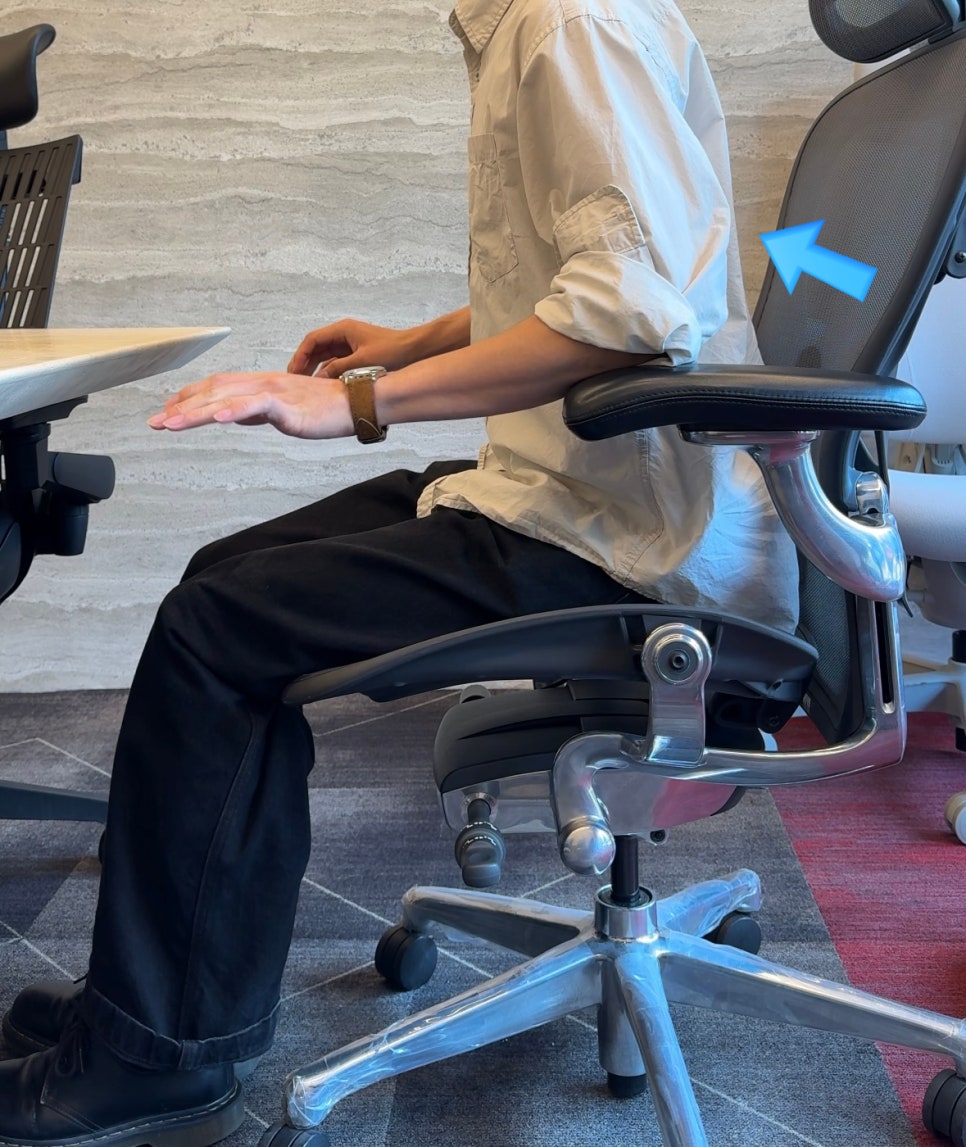
The 30-Second Self-Test: The Two-to-Three Finger Rule
You can check whether your current chair fits properly right now:
Sit all the way back so your buttocks are pressed firmly against the backrest.
Slide your fingers vertically between the front edge of the seat and the back of your knee.
If two to three fingers fit comfortably (about 2–5 cm): Your seat depth is appropriate.
If your fingers barely fit, or the seat edge touches your calf or knee pit: Your seat is too deep. This is the primary cause of numbness.
If three or more fingers fit loosely and your thighs feel unsupported: Your seat is too shallow, concentrating pressure on your sit bones and reducing thigh support.
The Solution: Adjustable Seat Depth
The takeaway is clear: you need a chair with adjustable seat depth—sometimes called a seat slider or seat pan depth adjustment.
This feature lets you move the seat pan forward or backward so the front edge no longer presses into the back of your knees. The further your body type deviates from average proportions (short or tall torso, long or short legs), the more essential this feature becomes.
However, not all seat depth adjustments are created equal. The range of adjustment and the design of the seat pan's front edge vary significantly between models.
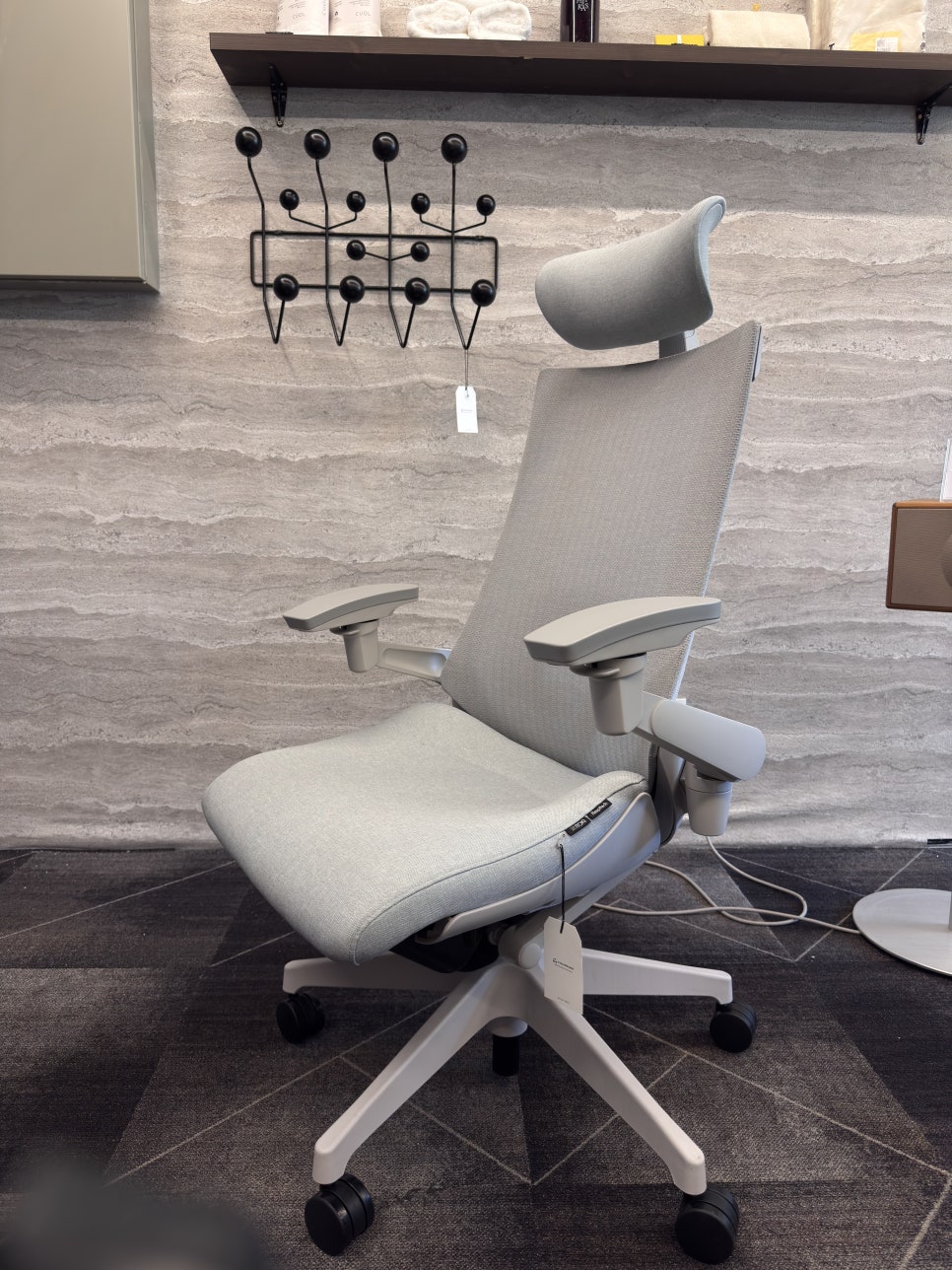
Our Recommendation: Itoki ACT2
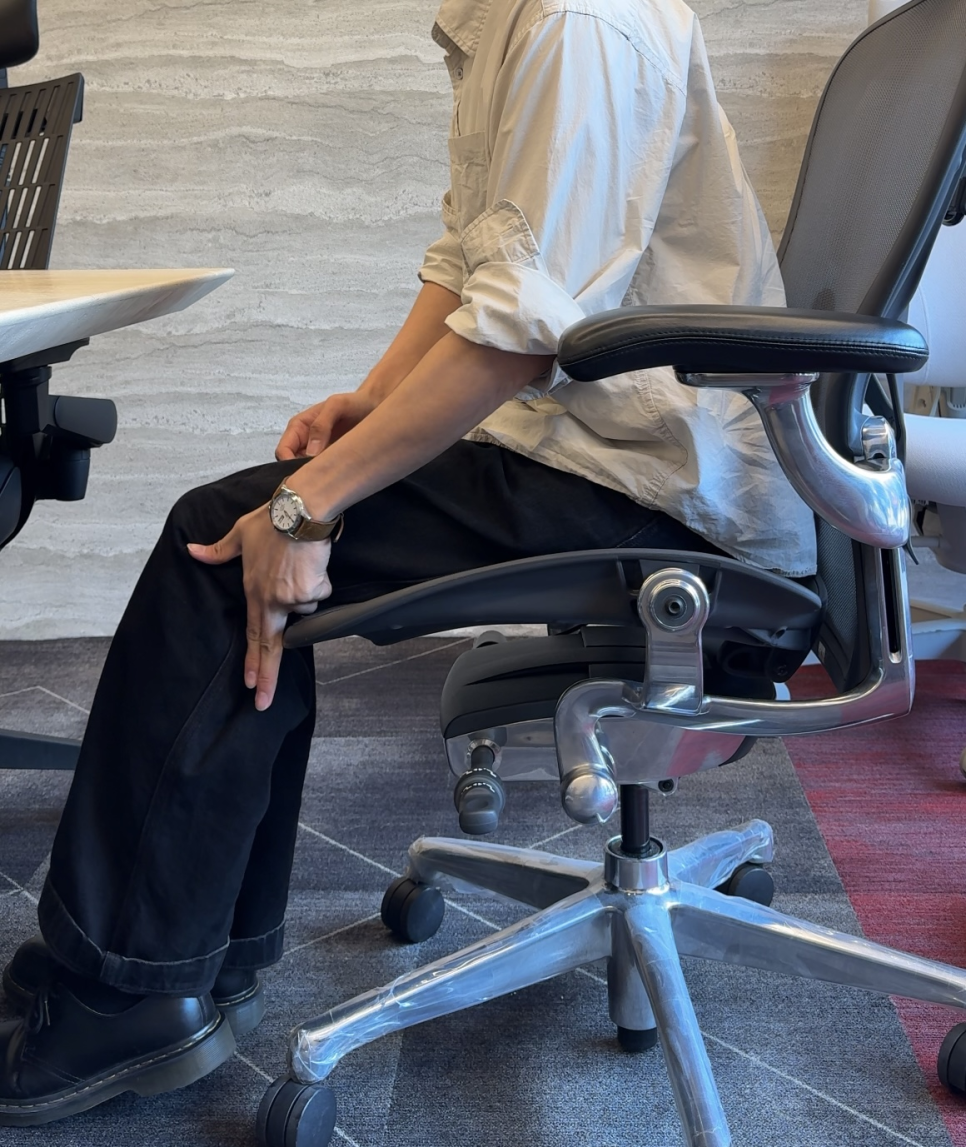
For anyone struggling with leg numbness and popliteal compression, we recommend the Itoki ACT2. This chair's seat adjustment mechanism is specifically designed to address knee-pit pressure.
Why the ACT2 Stands Out
Adjust seat depth while seated: A lever under the seat lets you fine-tune depth without getting up, so you can dial in the perfect fit in real time.
The front edge of the seat deforms, not just slides: Most chairs slide the entire seat pan forward or backward. The ACT2 uses a unique mechanism where the front portion of the seat actually reshapes and folds slightly as you adjust it. Because the pressure point itself adapts to your body, this design is especially effective at eliminating knee-pit compression.
Bucket-style seat for pelvic stability: The seat gently cradles your hips and lower back, encouraging you to sit all the way back and maintain contact with the lumbar support—reducing the temptation to perch forward.
Adjustable lumbar support and breathable mesh: The backrest offers customizable lower-back support and a mesh panel that stays cool during long sessions or in warm weather.
Wide seat height range: The ACT2's height adjustment accommodates a broad range of users, so even shorter individuals can sit with their feet flat on the floor—a key element of proper posture.
In short, the Itoki ACT2 solves the numbness problem right at the source: the front edge of the seat, where compression happens.
Other Chairs with Seat Depth Adjustment
If you'd like to explore additional options, several other ergonomic chairs in our catalog offer seat depth adjustment:
Steelcase Leap V2 – seat slider with LiveBack technology
Steelcase Gesture – intuitive seat depth dial
Herman Miller Embody – advanced seat edge design
Haworth Fern – organic seat pan shaping with depth control
Humanscale Freedom – self-adjusting recline with seat slide
Each model offers a different adjustment range and seat edge profile, so it's worth comparing them based on your leg length and sitting style.
Try Before You Buy: Fit Matters More Than Specs
Even within a single model like the ACT2, the optimal seat position varies from person to person. Rather than relying on measurements alone, the best way to find your fit is to sit in the chair and adjust it to your body.
Numbers on a spec sheet can't replace the tactile feedback of the two-finger test performed in your own posture.
If you've been struggling with leg numbness, tingling, or swelling at your desk, the fix may be simpler—and more mechanical—than you think. Check your seat depth today, and consider upgrading to a chair that puts you in control of the fit.

Furniblog may earn a commission from links in this post, at no extra cost to you. See our affiliate disclosure.