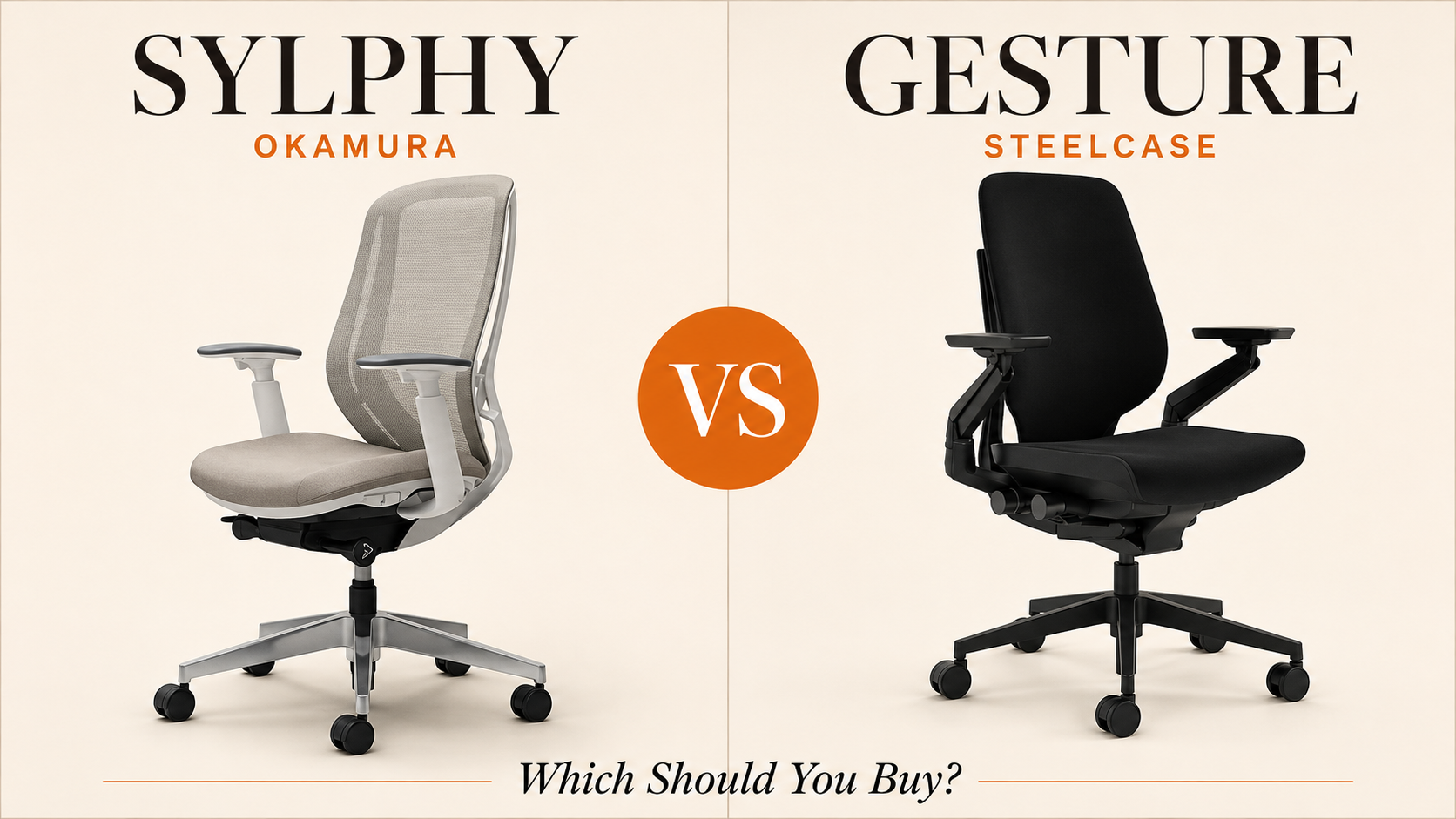
Okamura Sylphy vs Steelcase Gesture: Which Should You Buy?
Two premium mesh chairs at different price points—build vs features
Specs, reviews & details
Specs, reviews & details
Intro
The Okamura Sylphy and Steelcase Gesture occupy the same premium tier with remarkably identical specifications—same dimensions, weight capacity, warranty, and adjustment range—but their real-world performance tells two very different stories. At $1,067, the Sylphy costs $432 less than the $1,499 Gesture, yet the price gap doesn't follow the usual premium-feature script. Instead, buyers face a choice between Japanese engineering known for firm support versus American design praised for armrest innovation but plagued by durability complaints.
At a glance
Spec | Okamura Sylphy | Steelcase Gesture |
|---|---|---|
Price | $1,067 | $1,499 |
Category | Office | Office |
Armrests | 4D (positioning issues noted) | 4D (praised as standout feature) |
Lumbar support | Yes (hard plastic) | Yes |
Headrest | No (newer version available with headrest) | No |
Recline range | 125° | 125° |
Seat height range | 40–57 cm | 40–57 cm |
Weight capacity | 159 kg | 159 kg |
Warranty | 12 years | 12 years |
User rating | 3.3/5 (12 reviews) | 3.8/5 (12 reviews) |
Okamura Sylphy — strengths & weaknesses
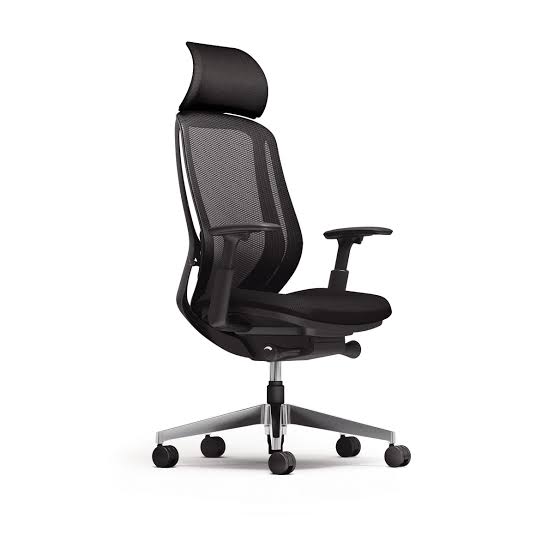
The Sylphy's dual-back mesh system delivers consistent, firm support that experienced users compare favorably to other high-end models. The seat cushion quality matches premium competitors with tension calibrated to prevent numbness without excessive softness. Users report no numbness symptoms during extended sessions, and the overall design earns praise for its thoughtful features.
Firmness is the defining characteristic—and the main divider. Multiple reviewers describe the seat as "subtly hard overall," with the lumbar support area made of hard plastic rather than mesh or softer material. If you're switching from a plush gaming chair or prefer cushioned support, the Sylphy's firmness may feel uncomfortable initially or long-term.
Mechanical precision falls short of expectations. The tilt lock doesn't engage at precise positions like competing models, and armrest controls have unspecified issues. The armrests sit slightly too high for some users' preferences. A newer version with an adjustable headrest addresses one gap, though that headrest doesn't recline as far back as some buyers expect.
The 3.3-star rating reflects these trade-offs: excellent for those who want firm, anti-fatigue support in compact spaces, frustrating for those seeking plush comfort or fine-tuned recline control.
Steelcase Gesture — strengths & weaknesses
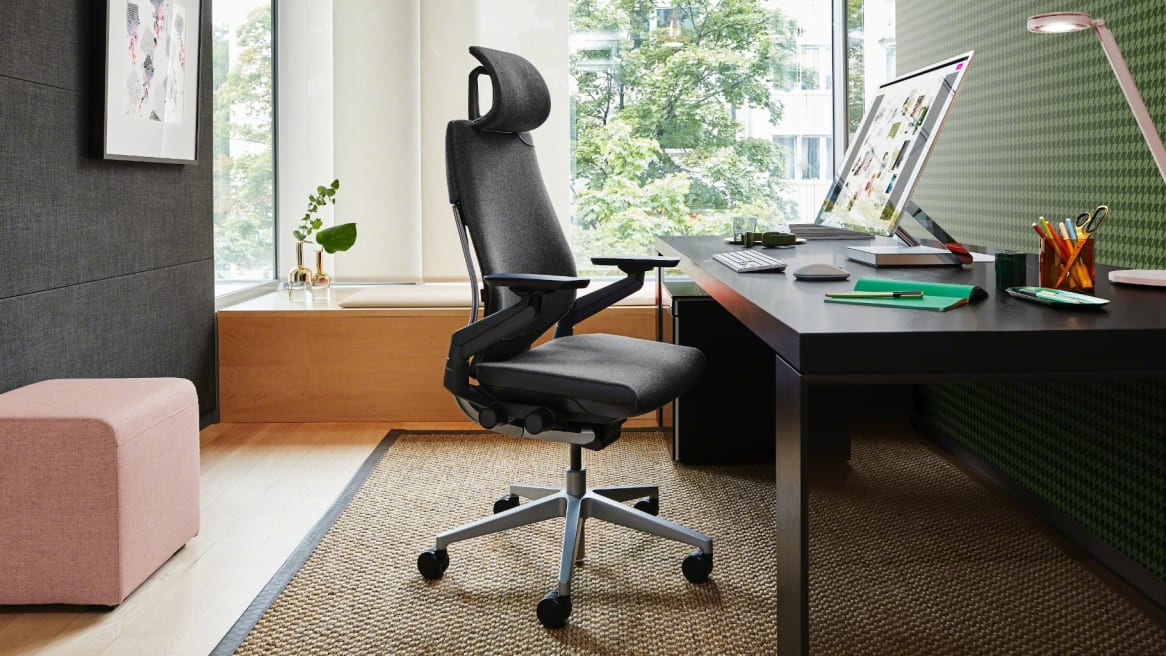
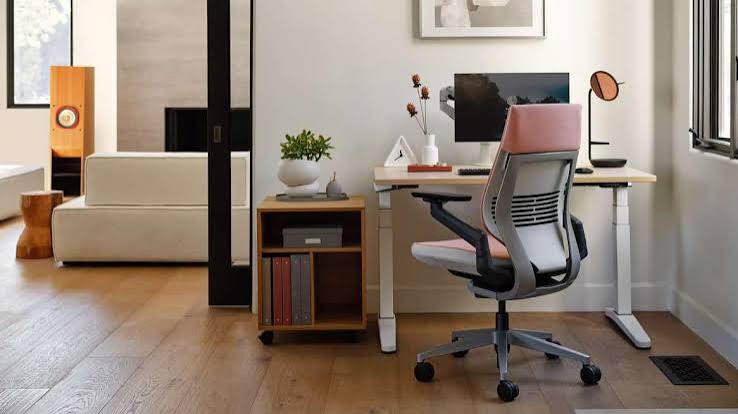
Ergonomic adjustability is comprehensive. A certified ergonomics expert's review highlights the Gesture's coverage of all major parameters—height, seat depth, lumbar support, armrests, and tilt. The narrow backrest design provides shoulder and back freedom without a claustrophobic feeling, which proved decisive for one user with spinal stenosis who tested six chairs in two months.
The 360-degree armrests are genuinely differentiated. Multiple reviews single out the arms as a standout feature that follows device use from keyboard to tablet, living up to the chair's multi-posture design promise. For upright sitters, the Gesture forces better posture with an "auto-correction feel," though this feels less immediately comfortable than softer alternatives.
Long-term durability is a serious concern. One owner reports "extreme buyer's regret" after three years, with all four purchased units experiencing breakdown issues. Initially the chairs performed well, but significant durability problems emerged over time. Another review notes the chair "looks cheap and budget-like despite high price point." These aren't isolated complaints—they represent a pattern in the available review data.
The 3.8-star rating is higher than the Sylphy's, but the durability failures at this price point ($1,499) represent a meaningful risk that doesn't appear in the Okamura feedback.
How they differ
Price vs. durability track record: The Gesture costs $432 more but has documented long-term failure rates in user reviews, while Sylphy complaints center on preference issues (firmness, armrest height) rather than structural breakdown.
Firmness philosophy: The Sylphy is unambiguously firm with hard plastic lumbar support—deliberate design for anti-fatigue support. The Gesture offers variable comfort depending on posture, with users describing a "push into upright position" feel rather than plush cushioning.
Armrest execution: Both are 4D, but Sylphy users report positioning and control issues, while Gesture buyers specifically praise the arms as a key reason to choose the chair.
Recline precision: Sylphy's tilt lock lacks precise engagement positions. Gesture reviews don't mention this as a problem, suggesting better mechanical execution in that area.
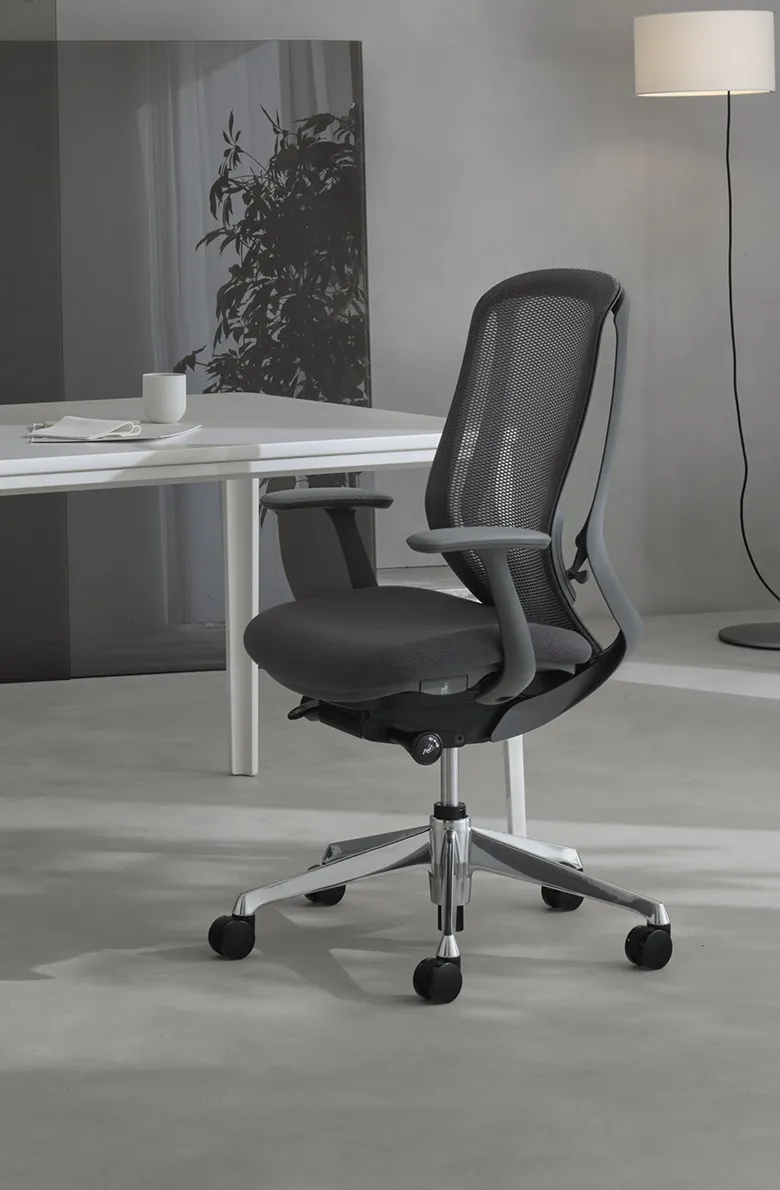
Backrest design: Sylphy's dual-back mesh adapts to torso shapes with a slim profile for compact spaces. Gesture's narrow backrest explicitly prioritizes shoulder freedom for multi-posture work.
Who should buy which
Buy the Okamura Sylphy if:
You prefer firm, anti-fatigue seating and don't want cushioned softness
You work in a compact space where the slim Japanese profile matters
You want to save $432 without sacrificing core ergonomic specs
You're willing to accept armrest quirks and hard plastic lumbar support in exchange for consistent seat tension
You value build reliability over cutting-edge armrest features
Buy the Steelcase Gesture if:
Multi-device work (keyboard, tablet, phone) defines your day and armrest versatility justifies the premium
You need shoulder freedom due to spinal issues or prefer narrow backrests
You sit upright and want a chair that enforces good posture rather than enabling slouching
You're willing to gamble on durability (or have a strong warranty claim process) for superior initial ergonomics
Skip both if: You want plush, immediately comfortable seating. Both chairs prioritize postural support over cushioned softness.
The verdict
On paper, these chairs are twins. In practice, the Okamura Sylphy offers better value and lower risk. Its firmness is intentional and consistent; its 3.3-star rating reflects preference mismatches, not catastrophic failures. The Steelcase Gesture's higher 3.8 rating and superior armrests can't overcome the documented pattern of units breaking down after three years—a disqualifying flaw at $1,499.
The Sylphy wins for most buyers. If you specifically need the Gesture's narrow backrest for medical reasons or its armrests truly match your device-heavy workflow, it may justify the premium and the durability gamble. Otherwise, save $432, accept the firm seat, and invest the difference in a good lumbar pillow if the hard plastic bothers you. The identical 12-year warranties mean little if one chair routinely fails before year four.
Frequently asked
- Is the Steelcase Gesture worth $432 more than the Okamura Sylphy?
- Not necessarily. Despite the higher price, Gesture owners report significant long-term durability problems with multiple units breaking down after 3 years, while Sylphy reviews focus mainly on firmness preferences rather than build failures.
- Which chair has better armrests, Sylphy or Gesture?
- Both offer 4D armrests, but Sylphy users complain the armrests are positioned too high with control issues, while Gesture's arms are specifically praised as a standout feature that follows multi-device use patterns.
- Is the Okamura Sylphy seat too hard?
- Some users find the Sylphy subtly hard overall, particularly the lumbar support area which is made of hard plastic. The seat cushion tension prevents numbness but may feel firmer than expected compared to softer mesh chairs.
Specs, reviews & details
Specs, reviews & details